


Most CMS migrations don’t begin because the CMS suddenly stops working. They start because the platform gradually becomes harder to live with.
Licensing costs rise. Editorial workflows slow down. Integrations become fragile. Publishing new experiences takes longer than it should. Over time, the system that once enabled the organisation’s digital presence becomes a constraint on it.
This is particularly common in older enterprise CMS implementations built around page templates and proprietary architectures.
Technically, they still work. But operationally, they become difficult to evolve.
For organisations managing complex content ecosystems such as museums, healthcare institutions, universities, and public sector services, that friction accumulates quickly.
Below I will explain how we approach CMS migration projects at Airteam, particularly when organisations are moving from legacy platforms such as Sitecore or Drupal to a structured content architecture using Sanity.
We have been building platforms with Sanity since 2019, which means we have seen the platform evolve from its early versions into the mature content infrastructure it is today.
Why organisations reach the point of CMS migration
Most organisations don’t plan to replace their CMS. But they reach the point where the current platform creates more operational drag than value.
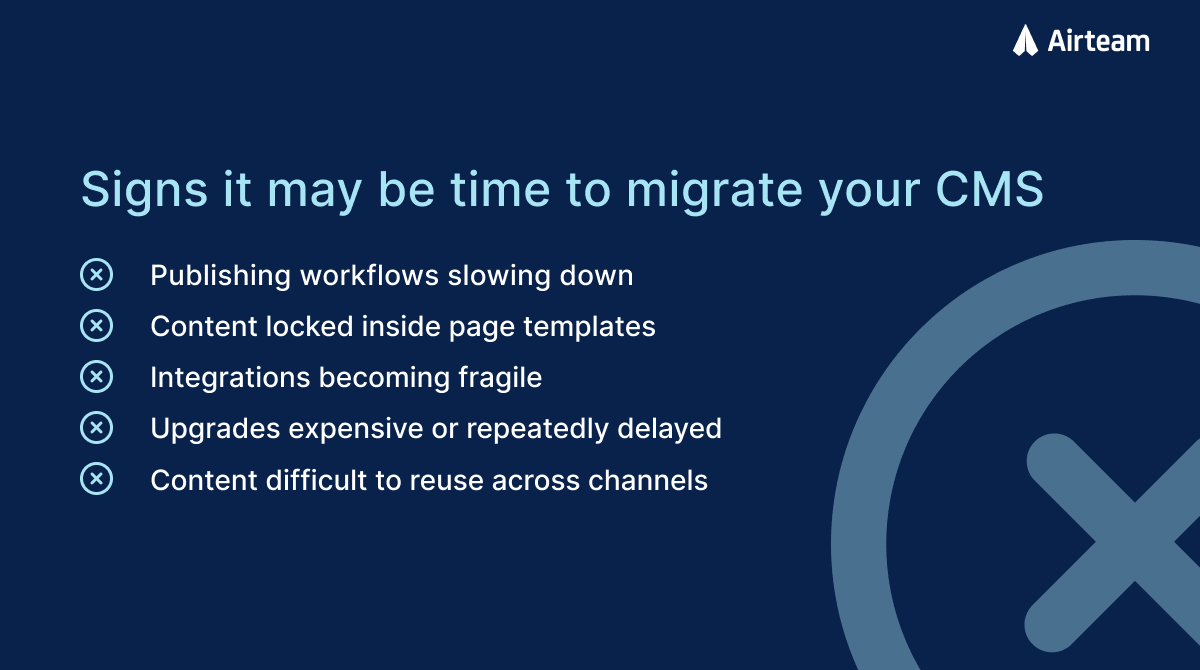
The most common triggers we see are:
Rising platform costs
Enterprise CMS platforms often carry substantial licensing and infrastructure costs. Over time these costs increase, particularly as vendors introduce new pricing tiers or require additional modules.
For organisations operating within fixed budgets, particularly public institutions, that cost pressure becomes difficult to justify.
Editorial friction
Many legacy CMS implementations are difficult for content teams to use.
Interfaces are complex. Publishing workflows are rigid. Structural changes require developer involvement.
Instead of enabling editors, the CMS becomes something they work around.
Page-based content models
A deeper issue is the way content is structured.
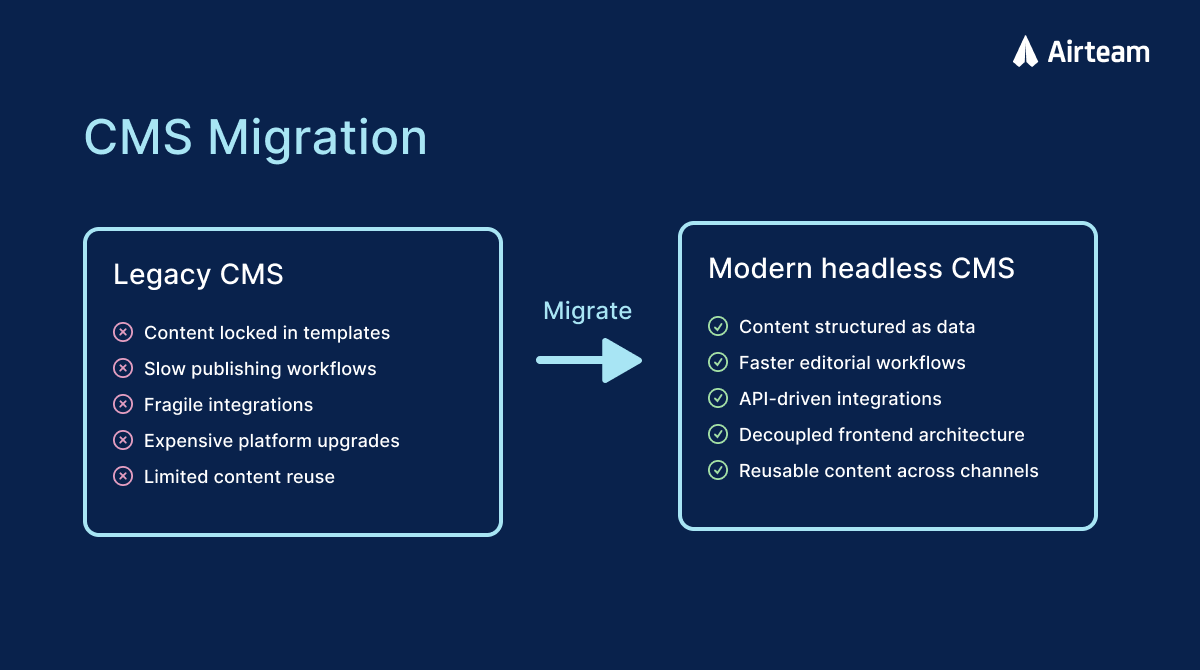
Many older CMS platforms are built around page templates. Content is created inside pages rather than existing independently of them. This makes reuse difficult.
If the organisation later needs to deliver content across multiple websites, applications, or digital products, that content structure becomes a limitation.
Technical lock-in
Some enterprise CMS platforms are tightly coupled to specific technology stacks.
For example, platforms built on proprietary frameworks or languages can make it difficult to adopt modern frontend technologies or decouple the CMS from the presentation layer.
That slows down innovation across the entire platform.
When a CMS migration is actually justified
A migration is not always the right decision. But there are clear signals when the current system is no longer sustainable.
These typically include:
- the content structure has become difficult to manage
- editorial teams rely heavily on developers for structural changes
- the CMS cannot support new digital channels cleanly
- upgrades are expensive or repeatedly delayed
- licensing and infrastructure costs continue to increase
- integrations and customisations have accumulated technical debt
By the time organisations start exploring migration, they are usually already feeling these pressures.
The mistake teams make during CMS migration
One of the most common mistakes in CMS migration projects is treating the new system as a direct replacement for the old one.
Teams often attempt to recreate the existing page structure inside the new platform. That approach simply rebuilds the same problems in newer technology.
A better migration starts by rethinking the content architecture. Instead of modelling pages, the focus shifts to modelling content.
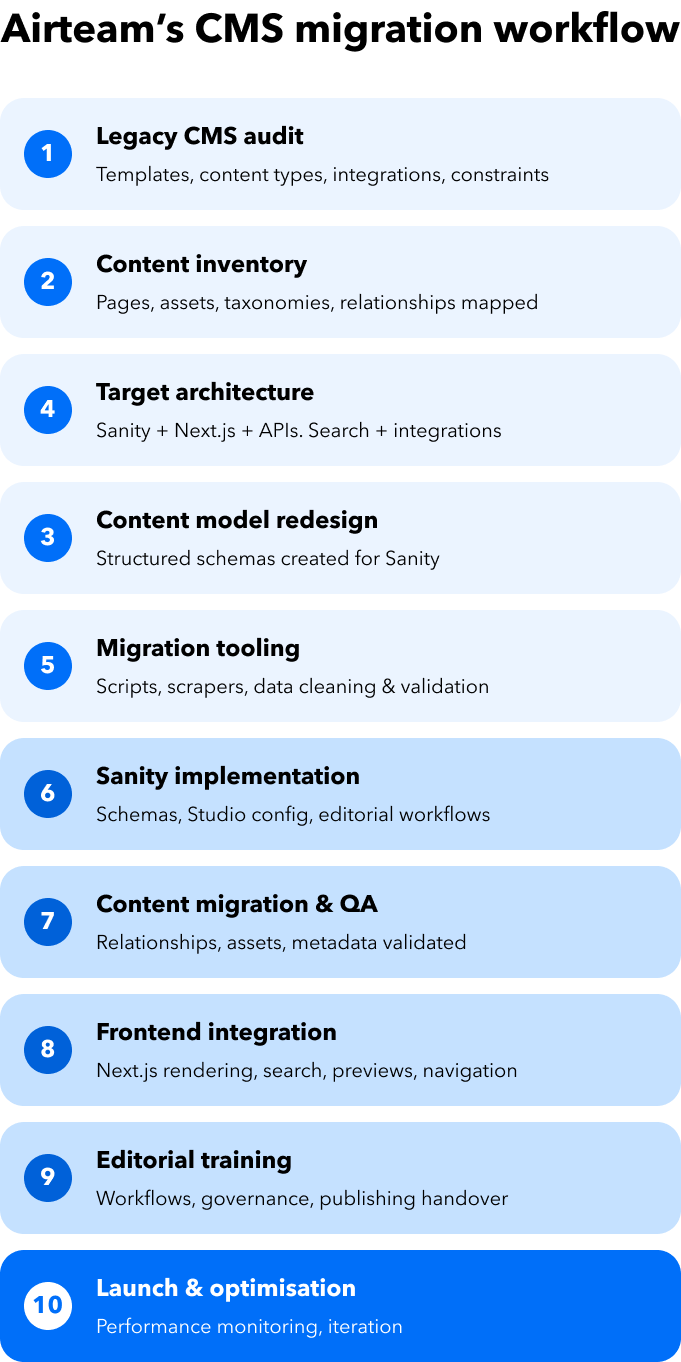
That means defining content types, relationships, taxonomies, and schemas that reflect how the organisation actually manages information.
Platforms like Sanity are designed for this approach. Content is stored as structured data rather than page templates, making it easier to reuse content across websites, applications, and other digital services.
Designing the new content architecture
Content architecture is usually the most important part of a successful CMS migration.
For large platforms, this process often involves collaboration between UX designers, information architects, and engineers.
The work typically includes:
- auditing existing content
- identifying reusable content types
- designing taxonomies and relationships
- defining editorial workflows
- structuring schemas around real publishing needs
In large institutions, such as museums or research organisations, content relationships can be complex. Collections, exhibitions, articles, events, and research materials often reference each other in multiple ways. Designing a schema that supports these relationships is far more important than recreating individual pages.
For example, when rebuilding the digital platform for Museums of History NSW, the content model needed to support thousands of historical records, collections, and exhibitions that reference each other through a complex taxonomy. Designing the schema to support those relationships was far more important than recreating the structure of the previous website.
Migrating content safely
Content migration rarely works as a simple export and import process.
Legacy CMS platforms often store content in proprietary formats or structures that are difficult to extract cleanly. Because of this, migration tooling usually needs to be built specifically for each project.
At Airteam we typically evaluate several possible extraction methods depending on the platform:
- CMS APIs
- direct database exports
- automated scraping
- static site crawling
In some cases we combine multiple approaches to reduce risk.
For example, during one migration planning process we prepared three independent backups before beginning any transformation work:
- extracting content via the CMS API
- taking a full database backup
- crawling the live site to create a static copy
This level of redundancy helps ensure that content can always be recovered if something goes wrong.
Even with automation, editorial review remains an important part of the process. Content often requires validation, restructuring, or cleanup after migration.
On the Museums of History NSW platform, this process involved migrating more than 12,000 pages of archival content from multiple legacy systems into a structured Sanity content model. Some content could be extracted programmatically, while other material required editorial review and restructuring to fit the new schema.
Integrating Sanity into the platform architecture
In modern CMS architectures, the CMS is no longer the website. Instead, it becomes the structured content backend for multiple digital interfaces.
Sanity works well in this model because content is stored as structured documents and delivered through APIs.
A typical implementation includes:
- Sanity as the content backend
- a frontend framework such as Next.js
- search infrastructure such as Elasticsearch
- integrations with external systems
Next.js is commonly used because it provides strong performance, server-side rendering, and wide developer adoption.
More importantly, the architecture allows the frontend experience to evolve independently of the CMS. That separation makes future platform changes significantly easier.
Editorial workflows and governance
One of the most visible benefits of a CMS migration is the improvement in editorial experience.
Legacy enterprise CMS platforms often require extensive training simply to perform everyday publishing tasks. Whereas structured content platforms tend to be easier to understand because content types are clearly defined.
Editors interact with structured content fields rather than assembling pages from complex components.
Sanity also supports governance features such as permissions, approval workflows, and release management, although some enterprise features require higher pricing tiers.
In most projects we still run training workshops and provide documentation for editorial teams, but ongoing support is typically minimal once teams are comfortable with the platform.
For example, on the Children’s Hospital at Westmead Feeding Guide application, clinicians are able to update nutritional formulas and clinical guidance directly through Sanity rather than relying on spreadsheets or printed revisions.
Risks teams underestimate during CMS migration
CMS migrations are complex projects, and the biggest risks are rarely the obvious ones.
Common challenges include:
Hidden functionality
Large websites often contain pages or integrations that nobody remembers until they disappear. These might include legacy forms, hidden filters, or specialised landing pages. Thorough discovery helps surface these issues early.
Content extraction challenges
Older CMS platforms sometimes make it difficult to extract content cleanly. Content may be stored in proprietary formats or spread across multiple systems. This often requires custom migration tooling.
Recreating poor content structure
Another risk is rebuilding the same structural problems in the new system. If the content architecture is not redesigned during migration, the new platform may inherit the same limitations as the old one.
Lessons from real migrations
Working across multiple CMS migrations reveals a few consistent lessons.
First, information architecture matters more than most organisations expect. The complexity of the content model often determines the long-term success of the platform.
Second, migration is rarely purely technical. Editorial workflows, governance, and organisational publishing habits all influence the final design.
Many platform limitations only become visible after working with the system at scale. Understanding these constraints helps avoid decisions that appear reasonable early in the project but create problems later.
When Sanity is the right platform
We have worked with many CMS platforms, and have found Sanity is particularly effective for organisations managing complex content ecosystems rather than simple marketing websites.
Typical use cases include:
- large content libraries
- complex taxonomies and relationships
- multi-channel publishing
- modern frontend architectures
- structured datasets
Museums, research organisations, healthcare platforms, and public sector services often fall into this category.
However, Sanity is not always the right solution. For example, organisations with strict onshore data requirements or heavy reliance on bundled enterprise features may need to consider alternative platforms such as Payload.
The goal is not to force every project into a single tool. The goal is to design an architecture that supports how the organisation manages and delivers content.
Considering a CMS migration?
A CMS migration is rarely just a technology upgrade. It is an opportunity to rethink how content is structured, governed, and delivered across the organisation’s digital ecosystem.
When done well, the result is not simply a new CMS. It is a platform that allows teams to publish faster, reuse content more effectively, and evolve their digital experiences without being constrained by the limitations of the past.
If your organisation is evaluating a move away from a legacy CMS platform, we can help assess:
- your current content architecture
- migration risks and complexity
- whether a structured CMS platform such as Sanity is the right fit
Get in touch with our team to discuss your platform at hello@airteam.com.au or via our contact form.

Related posts





Australia's trusted software development partner


